
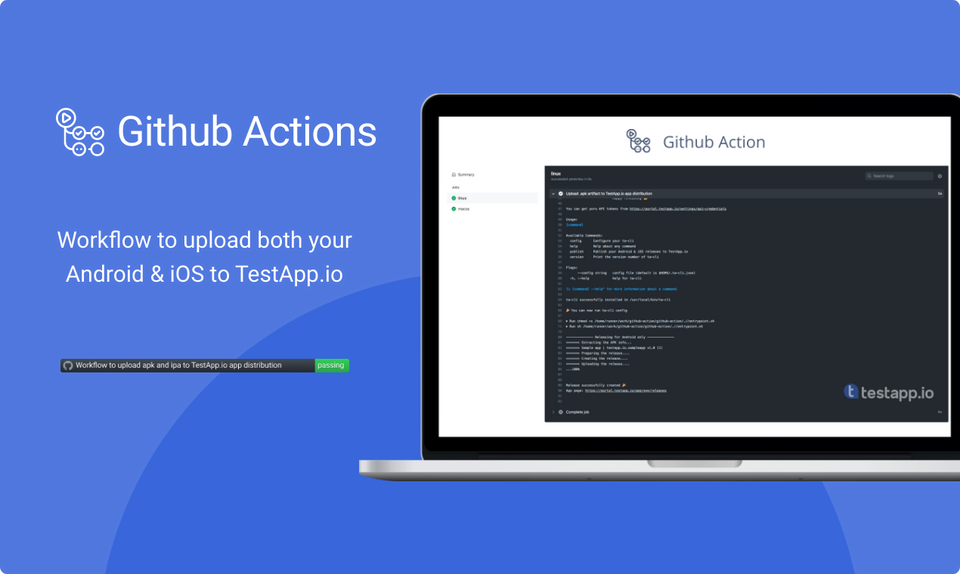
GitHub Actions makes it easy to automate all your software workflows with world-class CI/CD. Build, test, and deploy your code right from GitHub.
Adding our GitHub Action to your repo will automatically upload the APK or IPA to TestApp.io and notify your testers.

This action uploads artifacts (.apk or .ipa) to TestApp.io and notifies your team members.
- name: TestApp.io App Distribution
  uses: testappio/github-action@v5
Use @v5. It installs the latest ta-cli on every run. @v3 and @v4 always install an old version of ta-cli and miss recent upload fixes, so update the tag if your workflow still uses one of them.
Requirements
This action will execute on runners with Ubuntu & macOS operating systems.
Configuration
| Key | Description | Default |
|---|---|---|
api_token |
You can get it from portal.testapp.io/profile/tokens | |
app_id |
Open your app at portal.testapp.io/apps, then Integrations → Release → TestApp.io CLI → View Setup | |
file |
Path to the Android .apk or iOS .ipa file. The action picks Android or iOS from the file extension | |
release_notes |
Manually add the release notes to be displayed for the testers | |
git_release_notes |
Collect release notes from the latest git commit message: true or false |
false |
include_git_commit_id |
Include the last commit ID in the release notes: true or false |
false |
notify |
Send notifications to your team members about this release: true or false |
false |
Check ta-cli for more info
Upload time limit
ta-cli stops an upload that takes longer than 2 hours. For very large files on a slow connection, set TESTAPPIO_UPLOAD_TIMEOUT on the step, for example 3h. 0 turns the limit off. See Upload time limit in the ta-cli guide.
      - name: Upload to TestApp.io
        uses: testappio/github-action@v5
        env:
          TESTAPPIO_UPLOAD_TIMEOUT: 3h
        with:
          api_token: ${{ secrets.TESTAPPIO_API_TOKEN }}
          app_id: ${{ secrets.TESTAPPIO_APP_ID }}
          file: app/build/outputs/apk/release/app-release.apk
Sample Usage for Android
name: Upload APK to TestApp.io

on:
  push:
    branches:
      - main

jobs:
  android:
    runs-on: ubuntu-latest
    steps:
      - name: Checkout
        uses: actions/checkout@v4

      - name: Set up JDK 17
        uses: actions/setup-java@v4
        with:
          distribution: 'temurin'
          java-version: '17'

      - name: Build debug APK
        run: ./gradlew assembleDebug

      - name: Upload to TestApp.io
        uses: testappio/github-action@v5
        with:
          api_token: ${{ secrets.TESTAPPIO_API_TOKEN }}
          app_id: ${{ secrets.TESTAPPIO_APP_ID }}
          file: app/build/outputs/apk/debug/app-debug.apk
          release_notes: ""
          git_release_notes: true
          include_git_commit_id: false
          notify: true
If you want a release build instead, replace:
      - name: Build release APK
        run: ./gradlew assembleRelease
file: app/build/outputs/apk/release/app-release.apk
Sample Usage for iOS
name: Upload IPA to TestApp.io

on:
  push:
    branches:
      - main

jobs:
  ios:
    runs-on: macos-latest
    steps:
      - name: Checkout repository
        uses: actions/checkout@v4

      - name: Build and export iOS
        uses: yukiarrr/[email protected]
        with:
          project-path: ios/YourApp.xcodeproj
          workspace-path: ios/YourApp.xcworkspace
          scheme: YourApp
          export-method: ad-hoc
          configuration: Release
          output-path: artifacts/output.ipa
          p12-base64: ${{ secrets.P12_BASE64 }}
          certificate-password: ${{ secrets.P12_PASSWORD }}
          mobileprovision-base64: ${{ secrets.ADHOC_MOBILEPROVISION_BASE64 }}
          code-signing-identity: ${{ secrets.CODE_SIGNING_IDENTITY }}
          team-id: ${{ secrets.TEAM_ID }}

      - name: Upload to TestApp.io
        uses: testappio/github-action@v5
        with:
          api_token: ${{ secrets.TESTAPPIO_API_TOKEN }}
          app_id: ${{ secrets.TESTAPPIO_APP_ID }}
          file: artifacts/output.ipa
          release_notes: ""
          git_release_notes: true
          include_git_commit_id: false
          notify: true
More info about the iOS build & export action: yukiarrr/ios-build-action
Install
- name: TestApp.io App Distribution
  uses: testappio/github-action@v5
Related Articles
- GitHub Actions with Fastlane Plugin
- Setup iOS Project for Fastlane
- ta-cli Documentation
- ta-cli on GitHub
Need help? Contact us. we're happy to assist!